
How We're Using AI to Move the Needle

Artificial intelligence (AI) has taken the world by storm. I can’t log into LinkedIn or any social media platform these days without seeing multiple posts on the benefits, drawbacks, and considerations around AI.
But what is AI actually useful for? As website designers, the Lform team and I have been dismayed to see many people handing over their entire website design and content strategy to AI. It is simply not capable of replacing an entire team of talented web designers, coders, writers, and content creators.
However, this doesn’t mean AI has no place in our industry. I believe the key is to use it consciously and mindfully in the areas it excels. In this post, I’ll share a few ways we’re using AI tools to move the needle at Lform.
Content Strategy and Copywriting
Since ChatGPT hit the market in 2022, many businesses have relied upon it exclusively to create their written content. This has resulted in the proliferation of enormous amounts of low-quality content, nicknamed “slop.”
Using AI in place of a talented copywriter or content manager will not get you results. However, AI tools can play a useful assisting role in refining and organizing your content strategy. Here are a few of the tools we use and what they do for us.
Grammarly

Grammarly has been around for many years, and remains the gold standard in spelling and grammar checkers. We use Grammarly for soft-proofing and email writing. It helps with the final tweaks and adjustments we need to ensure our outbound messaging and client communications are clear and error-free even when discussing complex elements of web design. I particularly appreciate Grammarly’s ability to define a desired writing style, from business-formal through to casual.
The overlay tooltip, a writing assistant interface that works in various browsers and applications, is also useful for catching small grammatical errors when we are integrating content from clients.
Gemini
Google’s Gemini is our go-to for drafting content such as headlines, alt text, and meta descriptions. These important snippets can make all the difference in the performance of a piece of content in search results. Gemini is a direct competitor to ChatGPT, but we find it more flexible and more engaging in its outputs.
ChatGPT
Despite its limitations, we have still found ChatGPT to be a key tool in our content toolbox when it is used properly. It excels at distilling complex topics into clear and professional communications. As a result, we find it particularly useful for creating technical materials such as SEO and research reports, where it can help us to explain sophisticated concepts in accessible language and add relevant context.
With the right prompts, ChatGPT serves as an excellent starting point for refining content.
Photoshop – Generative Fill
I always tell my clients that, even in highly technical fields such as the B2B manufacturing space, images are everything when it comes to creating a website that gets results. Investing in high quality product photography and other imagery will pay off no matter your industry.
In making the most of imagery for our clients, the Generative Fill tool in Photoshop has been a game-changer for us. With it, we can expand the backgrounds of images that are too small or have incorrect aspect ratios. This enables us to use client-provided images that might have been unusable otherwise.
Project Management Tasks
I believe that when it is used to its full potential AI doesn’t replace human workers but frees them up to do the things they do best. This often takes the form of taking over tedious but necessary project management tasks. In other words, it can help with the work of doing the work.
Here are a few tools we use to assist us in project management, task automation, and boosting our efficiency so we can better serve our clients.
ChatGPT
There are many common project management tasks that can be sped up with ChatGPT. It can help to craft and streamline emails, saving time and speeding up communication with clients. It can also ensure emails have the correct tone and communicate important concepts clearly. We use it to create templates for common documents and emails, and to analyze reports and documentation to create summaries and top-level insights.
We also use it to aid in our internal retrospective processes to gain deeper insights into past projects, what went well, and what we could have done better. This helps us to improve future projects and the way we work.
FireFlies.ai
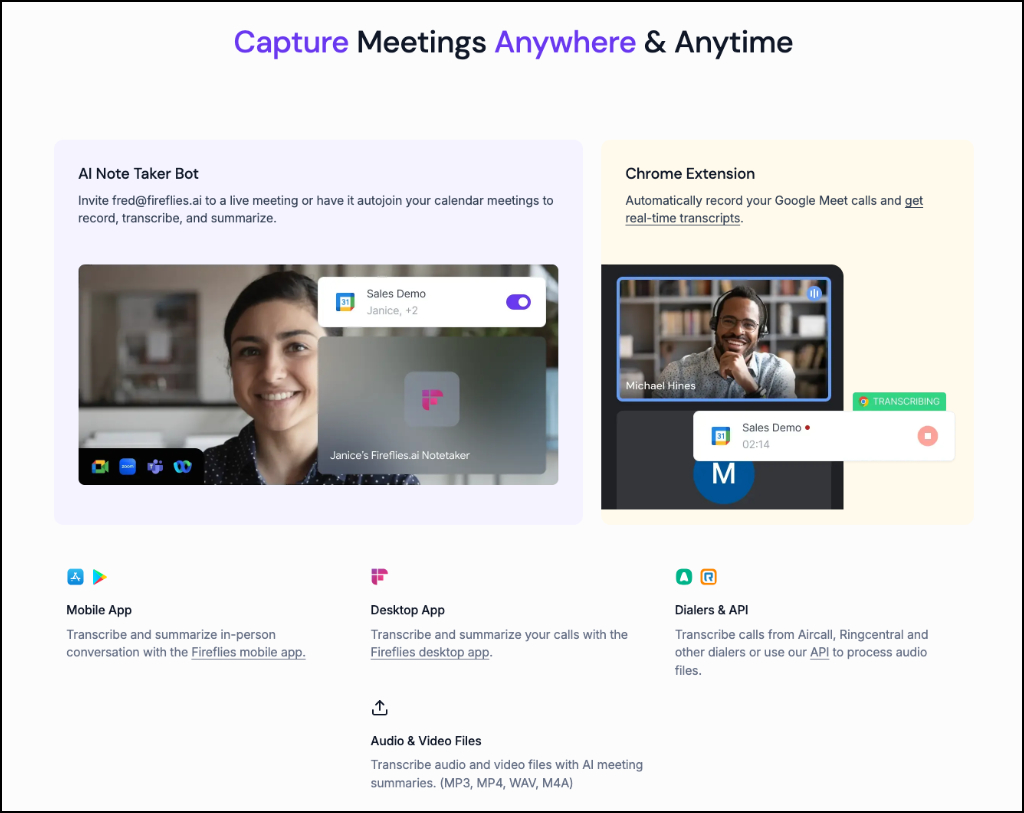
Fireflies is an AI-powered note-taking tool that we leverage for its impressive real-time transcription abilities. With this tool, interviews and client meetings can be recorded and automatically transcribed for future reference. Transcriptions are quicker to review than a video or audio recording, allowing us to pick out the most relevant parts of the conversation with ease.
Remember that if you’re going to use Fireflies or a similar tool, it is vital to get the permission of everyone on the call before recording.
Zoom AI
Zoom, the video conferencing software, now includes an AI assistant that can provide simple summaries and action items after a call has ended. These summaries and action items allow us to ensure everyone is on the same page and can be included in future project planning.
Code Completion and Development Help
As a website development agency, using AI for code writing, development, and completion is far from a simple issue. As I mentioned at the beginning of this piece, I believe that fully outsourcing coding to AI over human developers is a big mistake. However, we have found that by leveraging smart code completion tools intentionally, we can save time and solve problems without compromising on the high quality our clients expect.
When it comes to coding, CoPilot and ChatGPT are the most popular tools. Let’s look at how they perform.
CoPilot
CoPilot is an auto-completion tool for coding. Using both your own input and code from Github.com, a web-based collaborative platform for developers, it makes suggestions as you program.
This can speed things up. However, it is essential to understand that CoPilot is not a substitute for programming expertise, and many times its suggestions are not appropriate.
In the hands of a capable developer, CoPilot is a great way to save a few seconds or minutes at a time for common coding patterns. Of course, these incremental time savings can add up. Some common examples of CoPilot use-cases include logical operators in an IF statement, variable assignments, and quickly creating the common boilerplate necessary for classes or functions to initialize.
CoPilot cannot figure out the solution to difficult problems. However, it can fill in the blanks for those common, tedious tasks that every developer knows by heart.
ChatGPT
ChatGPT has a reputation for speeding up coding and website development. It is a very powerful tool, but the truth is a little more complicated.
Where ChatGPT excels is in finding solutions for very narrow and well-defined programming problems. It does not, however, perform well in addressing architecture-level, open-ended, or large-scope issues. Like CoPilot, ChatGPT still requires a high level of developer expertise and experience to use effectively.
The solutions this tool arrives at are rarely so perfect that they can simply be copied and pasted into a code base (which is a bad practice and something I will never endorse!)
At Lform, we use ChatGPT to solve narrow and specific problems. It is a useful way to quickly find solutions to issues that would otherwise require us to spend time trawling StackOverflow, documentation, and other resources. Common use-case examples include creating the starting point for a custom API integration, finding out whether or not a system has certain capabilities, or discovering the best way to implement a specific customization to WooCommerce.
Anyone who uses ChatGPT for this or any other business function should also be aware that it is known to “hallucinate” solutions to problems. For example, the WordPress CMS platform is customized via special trigger points known as hooks, which allow developers to extend or alter functionality. These hooks are listed and explained in WordPress documentation. Sometimes, ChatGPT will propose a solution using imaginary hooks that simply do not exist and will not work if tested.
In the context of web development, the hallucination problem is particularly acute. ChatGPT will generate code that will simply never work, and an inexperienced developer will likely have a difficult time figuring out why. This is why it is so important to confirm, test, and verify the solutions it proposes.
Sales and Lead Generation
As a business owner, generating new leads and building relationships with prospective clients is constantly at the forefront of my mind. In this area, nothing will replace the human touch. People buy from people, and the relationships we build with our clients is one of the elements that has ensured Lform’s success for more than 20 years.
However, there are also modern tools that can assist in the sales and lead generation process. Here are two that I rate highly.
Chorus.ai
Chorus is a conversation intelligence platform that records, transcribes, and analyzes customer touchpoints such as sales calls, meetings, and emails. It provides us with a deeper and more comprehensive insight into these interactions by identifying the most important topics and questions, analysing customer sentiment, and pinpointing the sales strategies that work.
Chorus helps to improve our record-keeping and communication, ensuring that everyone is on the same page throughout the lead generation process and eventual client project. It also helps us to find weaknesses in our sales process so that we can improve.
Warmly.ai
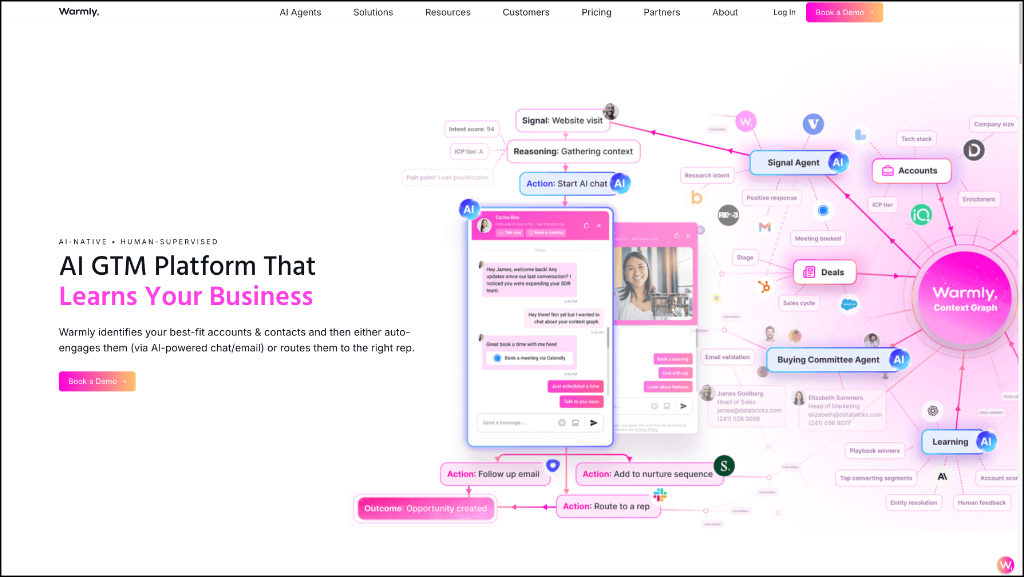
In sales and marketing, a “warm” prospect is anyone who has already shown interest in the products or services being offered. In the context of web design, this is anyone who is in the market for our services (or may be in the near future) and has visited our website or otherwise engaged with us.
Warmly is an AI tool for B2B companies. Designed to identify and nurture warm prospects, it de-anonymizes website visitors and allows businesses to reach out to them directly. It has helped us to shift from high-volume cold outreach efforts to highly targeted, personalized approaches to promising leads.
The Future of AI for Web Designers
The AI craze doesn’t seem to be slowing, and I am sure we will see many more tools and solutions hitting the market this year. I’ve learned a lot about leveraging AI effectively in the last few years, and I have come to three significant conclusions:
- AI is not a replacement for human talent. At its best, it takes on the boring but necessary tasks while allowing human workers to focus on the creative, strategic, and person-centered work only they can do.
- The key to using AI effectively is to learn what it’s good for and, equally, what it’s not good for. Not all tasks can be outsourced to AI, and not all tools are suitable for all jobs.
- Instead of simply jumping on AI out of fear of being left behind, businesses must be thoughtful and intentional about their use of these tools. Think carefully about your needs, your priorities, and your values, then invest strategically in the solutions that will be most useful to you.
Ready to talk to a human-driven, technology-enabled team who can bring your tired B2B website into 2026 with high-performing code, beautiful visuals, and a user experience that gets results? Book a meeting with Lform today.